
Best Laptop for Students under 30000: For many students in India, sticking to a ₹30,000 budget could mean compromising on performance—but not anymore. In 2025 there are laptops packed with 8 GB RAM, 512 GB SSD, Full HD displays, and Windows 11, all under ₹30,000. Our picks are ideal for online classes, MS Office, web browsing, and even light editing—all while being portable and reliable.
 Join Telegram
 Join WhatsApp
🎯 Top 5 Best Laptop for Students under 30000 in India [2025 Edition]
Here are the best value laptops available in India under ₹30k, offering a great mix of features:
✅ Key Highlights:
- Best Performance Laptop – Lenovo V15 G4 Ryzen 5 7520U
- Best Budget Choice – Lenovo V15 G4 Athlon Silver 7120U
- Best Lightweight Metal Laptop – Acer Professional 14 Ryzen 3 7330U
- Best for Online Classes & Zoom – HP 15 with FHD Camera
- Best Overall Value – Lenovo V15 Ryzen 3 7320U
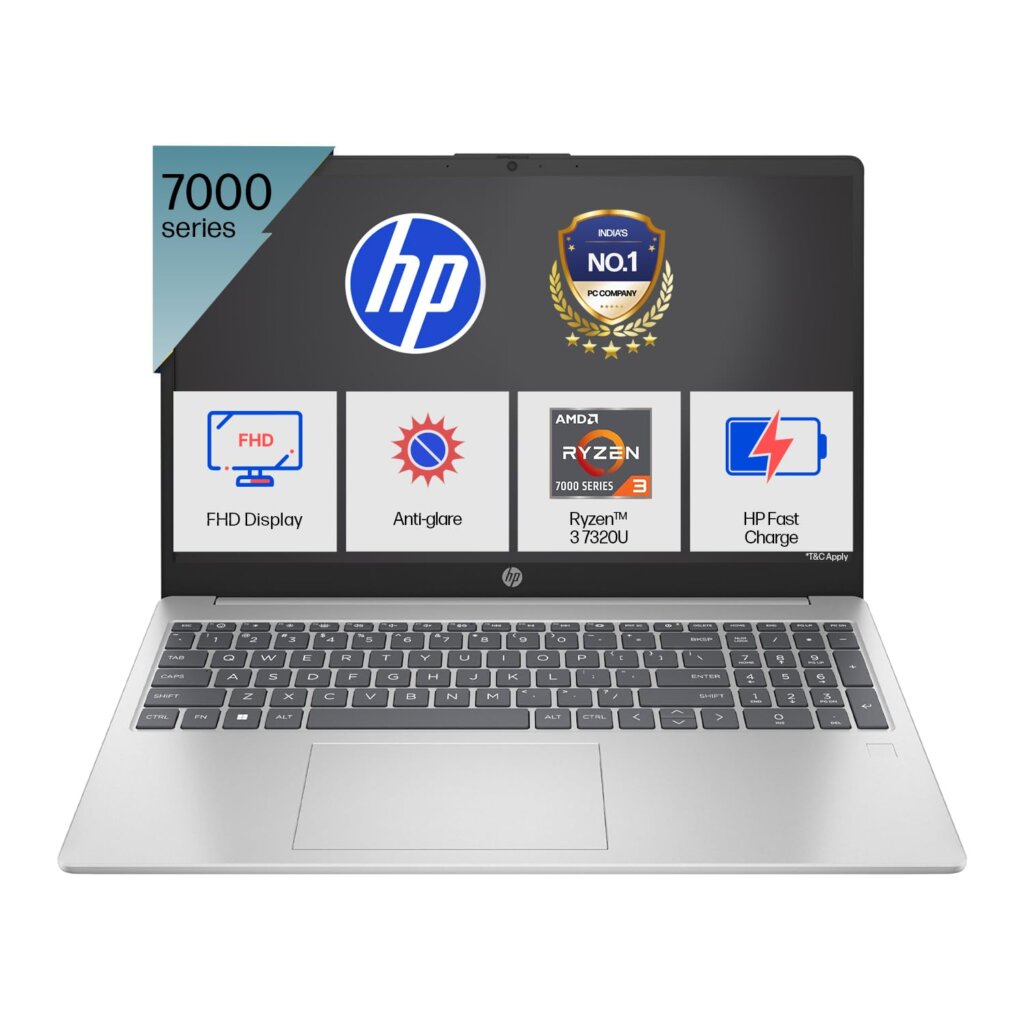
1. HP 15, AMD Ryzen 3 7320U Laptop – 15.6” FHD, 8GB LPDDR5, 512GB SSD, Anti-Glare Display, Windows 11, MS Office, AMD Radeon Graphics, Lightweight 1.59kg, Silver – Ideal Student Laptop Under ₹30,000
Key Features:
✔️ Processor: AMD Ryzen 3 7320U (up to 4.1 GHz max boost)
✔️ RAM: 8GB LPDDR5 (fast and power efficient)
✔️ Storage: 512GB SSD – lightning-fast boot and file load times
✔️ Display: 15.6″ FHD (1920×1080), anti-glare, micro-edge display
✔️ Graphics: Integrated AMD Radeon Graphics
✔️ Camera: 1080p Full HD camera – great for online classes
✔️ Operating System: Windows 11 Home
✔️ Pre-installed Software: Microsoft Office Home & Student 2021
✔️ Weight: Just 1.59 kg – ideal for students on the move
✔️ Build: Sleek silver design with thin bezels
2. Lenovo V15 G4 AMD Ryzen 5 7520U Laptop – 15.6” FHD, 16GB DDR5 RAM, 512GB SSD NVMe, Dolby Audio, Windows 11, Arctic Grey – Best Performing Laptop for Students Under 30000

Key Features:
✔️ Processor: AMD Ryzen 5 7520U – powerful multitasking chip
✔️ RAM: 16GB DDR5 (5500MHz) – perfect for smooth multitasking
✔️ Storage: 512GB SSD NVMe – fast read/write for better performance
✔️ Display: 15.6” Full HD anti-glare display
✔️ Graphics: Integrated AMD Graphics – enough for basic design/editing
✔️ Audio: Dolby Audio for immersive sound
✔️ Operating System: Windows 11 Home
✔️ Build Quality: Slim & lightweight, Arctic Grey color
✔️ Warranty: 1-year onsite brand warranty
3. Acer Professional 14 TL14-42M – AMD Ryzen 3 7330U, 16GB RAM, 512GB SSD, 14” FHD, UHD Graphics, Windows 11 Pro, Premium Metal Body, 1.34kg – Best Compact Laptop for Students Under 30000

Key Features:
✔️ Processor: AMD Ryzen 3 7330U – efficient and responsive
✔️ RAM: 16GB RAM – ideal for multitasking and smooth usage
✔️ Storage: 512GB SSD – quick app launches and file access
✔️ Display: 14-inch Full HD – compact and crystal-clear visuals
✔️ Graphics: Integrated UHD Graphics
✔️ Operating System: Windows 11 Pro
✔️ Pre-installed Software: Microsoft Office 2021
✔️ Body: Premium Metal Chassis – gives a professional look
✔️ Portability: Ultra-lightweight at just 1.34 kg
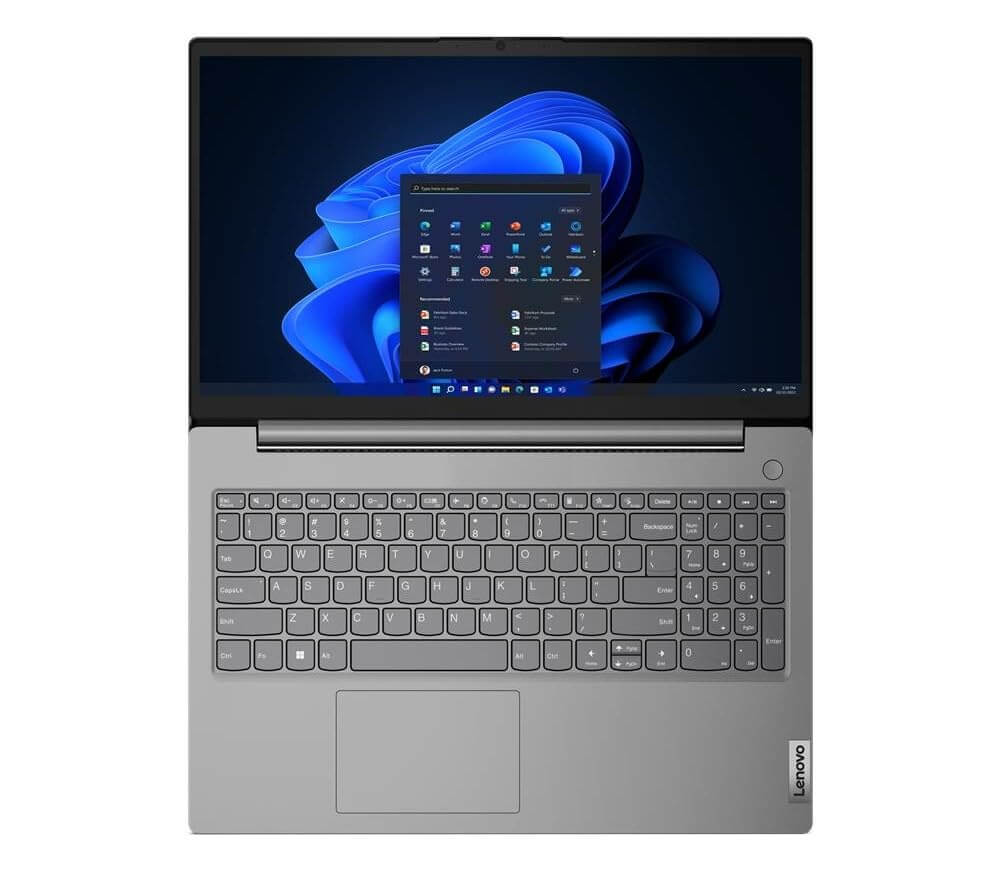
4. Lenovo V15 G4 AMD Athlon Silver 7120U Laptop – 15.6” FHD, 8GB LPDDR5, 512GB SSD, Radeon 610M Graphics, Windows 11 – Budget-Friendly Laptop for Everyday Use Under ₹30,000
Key Features:
✔️ Processor: AMD Athlon Silver 7120U – good for basic tasks
✔️ RAM: 8GB LPDDR5 – efficient memory for smooth use
✔️ Storage: 512GB SSD PCIe – faster boot and load times
✔️ Display: 15.6″ Full HD display with anti-glare
✔️ Graphics: AMD Radeon 610M – better than Intel UHD in this range
✔️ Operating System: Windows 11 Lifetime Validity
✔️ Color: Silver
✔️ Warranty: 1 Year Brand Warranty
✔️ Perfect For: Students who need a reliable, budget laptop for browsing, classes, and productivity
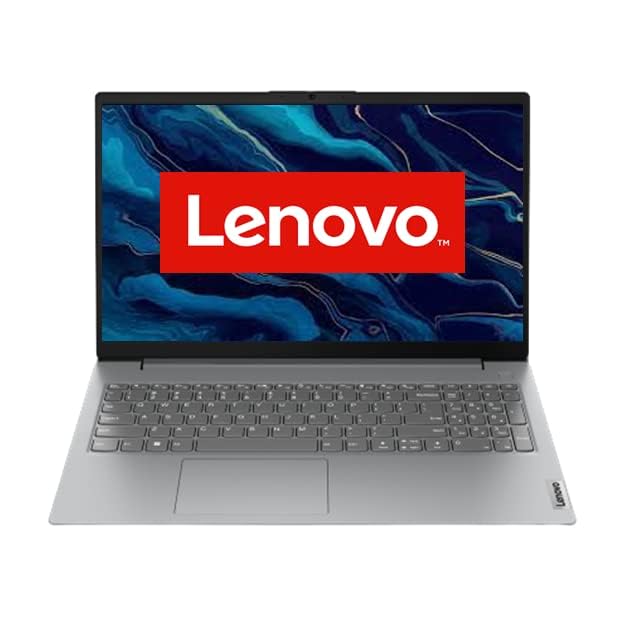
5. Lenovo V15 AMD Ryzen 3 7320U Laptop – 15.6” FHD, 8GB RAM, 512GB SSD, 250 Nits Brightness, Anti-glare Screen, Arctic Grey – All-Rounder Student Laptop Under ₹30,000
Key Features:
✔️ Processor: AMD Ryzen 3 7320U – responsive and efficient
✔️ RAM: 8GB DDR5 RAM – excellent multitasking performance
✔️ Storage: 512GB SSD – fast system performance
✔️ Display: 15.6” Full HD with 250 nits brightness
✔️ Graphics: Integrated AMD Radeon Graphics
✔️ Operating System: Windows 11 Home
✔️ Design: Sleek Arctic Grey finish, thin & light design
✔️ Weight: 1.65 kg – still portable for daily use
✔️ Best For: Notes making, Zoom classes, online research
📝 Detailed Comparison Table of Best Laptop for Students Under 30000
| Feature / Model | HP 15 (Ryzen 3 7320U) | Lenovo V15 G4 (Ryzen 5 7520U) | Acer Professional 14 (Ryzen 3 7330U) | Lenovo V15 G4 (Athlon Silver 7120U) | Lenovo V15 (Ryzen 3 7320U) |
|---|---|---|---|---|---|
| Processor | AMD Ryzen 3 7320U | AMD Ryzen 5 7520U | AMD Ryzen 3 7330U | AMD Athlon Silver 7120U | AMD Ryzen 3 7320U |
| RAM | 8GB LPDDR5 | 16GB DDR5 5500MHz | 16GB RAM | 8GB LPDDR5 | 8GB RAM |
| Storage | 512GB SSD | 512GB NVMe SSD | 512GB SSD | 512GB SSD PCIe | 512GB SSD |
| Display | 15.6″ FHD, Anti-Glare | 15.6″ FHD | 14″ FHD | 15.6″ FHD | 15.6″ FHD, 250 Nits Antiglare |
| Graphics | AMD Radeon | AMD Graphics | Integrated UHD Graphics | AMD Radeon 610M | AMD Radeon |
| Weight | 1.59 kg | ~1.65 kg | 1.34 kg | ~1.65 kg | 1.65 kg |
| Operating System | Windows 11 + MS Office 2021 | Windows 11 + Dolby Audio | Windows 11 Pro + MS Office 2021 | Windows 11 Lifetime Validity | Windows 11 |
| Body Build | Micro-Edge Design | Arctic Grey Finish | Premium Metal Body | Silver Finish | Arctic Grey |
| Camera | 1080p FHD Camera | Standard HD Camera | Standard HD Camera | Standard HD Camera | Standard HD Camera |
| Battery Life | ~6 Hours | ~6 Hours | ~6–7 Hours | ~6 Hours | ~6 Hours |
| Ideal For | Everyday Use, Study | Heavy Multitasking | Portability + Power | Budget Students | Light Use + Study |
| Price | ₹29,990–₹30,990 | ₹30,490–₹32,990 | ₹29,990–₹30,999 | ₹26,990–₹28,990 | ₹29,490–₹30,500 |
🏆 Editor’s Picks – Best Laptop for Students under 30000
- 💡 Best for Power Users: Lenovo V15 (Ryzen 5 + 16 GB RAM)
- 💡 Best Lightweight Professional Laptop: Acer Professional 14
- 💡 Best Value for Money: HP 15s Ryzen 3 7320U
- 💡 Best Entry-Level Option: Lenovo Athlon Silver V15
Here is a detailed SEO-friendly article on:
🙏 Support Our Work
We work very hard to create quality handwritten notes to support your learning journey. Every page is the result of hours of dedication and care. If you find our efforts valuable, please consider supporting us. Even a small contribution of ₹5, ₹10, ₹50, or ₹100 — whatever feels right to you — can make a big difference. Your support helps us continue this platform and keep the notes accessible to everyone. Donate securely via PhonePe – your kindness truly means a lot.
UPI ID:
(Tap to copy)
Please Donate ₹5, ₹10, ₹50, ₹100 or whatever feels right to you.
🎓 Why Every Student Should Have a Laptop ( Uses of a Laptop for Students )
In today’s digital era, laptops have become a necessity for every student, whether you’re in school, college, or preparing for competitive exams. From attending online classes to creating assignments, a laptop makes the learning process more interactive, organized, and efficient.
In this article, we’ll explore the top uses of laptops for students, covering practical, academic, and creative needs. This guide is especially helpful for those planning to buy a student laptop under ₹30,000.
Here’s a detailed table listing the uses of a laptop for students, categorized by purpose:
| Purpose | Use Case / Benefit |
|---|---|
| 📚 Academic Learning | – Attending online classes and webinars- Accessing eBooks, PDFs, and notes |
| 📝 Assignments & Projects | – Writing reports and essays- Creating presentations (PPTs)- Doing research |
| 🌐 Internet Research | – Browsing academic content- Using educational platforms like Coursera, Khan Academy |
| 🎥 Multimedia Learning | – Watching lecture videos on YouTube or apps- Listening to educational podcasts |
| 👨💻 Skill Development | – Learning coding, design, or software tools- Accessing online certification courses |
| 🧪 STEM Tools | – Running simulations or statistical tools like MATLAB, SPSS, R, Python |
| 💬 Communication | – Joining group discussions on Zoom, Google Meet- Emailing teachers or peers |
| 📁 Data Storage | – Saving notes, projects, and important documents safely |
| 🧠 Note-taking | – Using apps like OneNote or Evernote for organized note-taking |
| 🎮 Entertainment & Relaxation | – Watching movies, listening to music, or light gaming during breaks |
| 📷 Content Creation | – Recording lectures, creating YouTube content, or blogging |
| 🔐 Secure Environment | – Managing study data securely with passwords and cloud backups |
| 📆 Time Management | – Using calendar and reminder apps for exams and deadlines |
| 💻 Practice Exams & Tests | – Giving online quizzes and mock tests |
You may also read: How Digital Education is Shaping the Future of Learning
🧑🏫 1. Online Classes and E-Learning
With the rise of digital education and platforms like Zoom, Google Meet, Microsoft Teams, and Byju’s, online learning has become the norm.
✅ Attend live online classes from anywhere
✅ Watch recorded lectures and tutorials on YouTube, Udemy, Coursera
✅ Use interactive learning platforms like Vedantu, Unacademy, or Khan Academy
✅ Join webinars, bootcamps, or certification courses
💡 Tip: Even budget laptops under ₹30,000 can easily support these tools with a stable internet connection.
📝 2. Assignments, Projects & Notes
A student laptop is a productivity powerhouse when it comes to completing coursework:
✅ Write assignments using MS Word or Google Docs
✅ Create presentations in PowerPoint or Canva
✅ Maintain Excel spreadsheets for research or budgeting
✅ Prepare digital notes and organize them in folders
📚 Useful Tools: Evernote, Notion, WPS Office, Adobe Reader
🌐 3. Research and Study Material
Students use laptops to gather information from the internet quickly and effectively.
✅ Search for study material, previous year question papers, and guides
✅ Download PDFs from educational websites like NCERT, IGNOU, or StudyCart24
✅ Read articles, journals, and research papers
✅ Use Google Scholar, ResearchGate, or academic databases
📖 Pro Tip: Install an ad blocker and a PDF viewer for smoother research.
💻 4. Programming & Coding (for Tech Students)
If you’re a Computer Science or IT student, a laptop becomes your primary tool.
✅ Practice coding in C, C++, Python, Java, etc.
✅ Install software like Visual Studio Code, PyCharm, or Eclipse
✅ Build web projects using HTML, CSS, JavaScript
✅ Learn app development using Android Studio (light usage)
🔧 Pro Tip: Even a 4GB RAM laptop can run lightweight IDEs smoothly.
🎧 5. Multimedia Learning & Content Creation
Modern education involves visual and creative learning too.
✅ Watch explainer videos, documentaries, and animations
✅ Use Canva or Adobe Spark to create posters and presentations
✅ Record and edit videos using simple software like Shotcut or Clipchamp
✅ Practice audio recording for assignments or YouTube projects
🎬 Helpful Tip: Choose a laptop with at least 128GB SSD for smoother editing.
📂 6. Data Storage & Cloud Sync
Students need a place to safely store their academic data:
✅ Store digital notes, question papers, PDFs, and photos
✅ Use Google Drive, Dropbox, or OneDrive to back up your files
✅ Access documents from your phone or other devices
✅ Sync calendars, reminders, and schedules
📁 Storage Tip: Use external drives or 64GB+ pen drives for backups.
🧪 7. Online Tests & Exams
Laptops play a crucial role in online exam preparation and mock testing:
✅ Take CBT (Computer-Based Tests) like CUET, SSC, UPSC mock tests
✅ Install test series software or access online portals
✅ Use typing tutors for speed improvement
✅ Practice quizzes on platforms like Testbook, Gradeup, or Adda247
🎯 Exam Ready Tip: Make sure your laptop has a good webcam and keyboard for online proctoring.
💬 8. Communication and Group Work
Teamwork and coordination are essential in student life.
✅ Send emails to teachers or submit assignments
✅ Chat via WhatsApp Web, Telegram, or Signal
✅ Use Google Docs or Slides for real-time collaboration
✅ Join subject-specific groups and forums
📡 Group Work Tip: Use browser extensions for better collaboration and note sharing.
🎮 9. Entertainment and Stress Relief
All work and no play is never a good idea! A student laptop helps you relax.
✅ Watch Netflix, Amazon Prime, or YouTube in free time
✅ Listen to music or podcasts on Spotify or JioSaavn
✅ Play light games like Minecraft, Chess, or Among Us
✅ Try painting or music software for creative expression
🎉 Fun Tip: Use a Bluetooth speaker or earphones for better sound.
Conclusion: A Laptop is a Smart Investment for Every Student
No matter your stream—Science, Commerce, Arts, or Computer Science—a laptop supports your entire academic journey. From studies to skill-building, creativity to communication, the benefits are endless. Even laptops under ₹30,000 can meet these student needs efficiently.
So, before buying, make sure your laptop can support these activities, has decent RAM (4GB or more), and reliable battery backup.
Here’s a detailed list of drawbacks of a laptop for students, presented in a clear table format:
⚠️ Drawbacks of Using a Laptop for Students
| Drawback | Explanation |
|---|---|
| 🔋 Battery Dependency | Laptops need regular charging; low battery can interrupt study or online classes. |
| 👀 Eye Strain | Prolonged screen time can cause digital eye strain, headaches, and blurry vision. |
| 🧠 Distraction & Procrastination | Easy access to games, social media, and entertainment may reduce focus and productivity. |
| 🪫 Overheating | Budget laptops may heat up during long sessions, affecting performance and comfort. |
| 💸 Repair & Maintenance Cost | Damage to the screen, battery, or motherboard can be costly to repair or replace. |
| 🕹️ Overuse of Multimedia | Excessive use for movies, music, or games can hamper academic discipline. |
| 🪙 Limited Upgrade Options | Most student-friendly laptops (under ₹30,000) cannot be easily upgraded (RAM, SSD, etc.). |
| 🦠 Security Threats | Without proper antivirus or firewalls, students may fall prey to malware, phishing, or data loss. |
| 🧍♂️ Poor Posture | Improper laptop use without ergonomic setup can lead to back, neck, and wrist problems. |
| 🌐 Internet Dependency | Many learning tools and platforms need internet access, which may not be available everywhere. |
| 🎮 Addiction Risk | Potential for gaming or binge-watching addiction if not monitored. |
| 🖥️ Not Ideal for All Subjects | Some practical subjects (like physical lab work, sports, or field studies) can’t be replaced by a laptop. |
You may also read: How to Start a Coaching Centre at Home: Avoid These Mistakes
📚 Laptop vs Tablet vs Mobile for Studying
| Feature | Laptop 💻 | Tablet 📱 | Mobile 📲 |
|---|---|---|---|
| Screen Size | Large (13″–15.6″), ideal for multitasking & reading | Medium (8″–11″), good for reading and light tasks | Small (5″–6.8″), can cause strain during long study hours |
| Typing Comfort | Physical keyboard, perfect for assignments & notes | On-screen or attachable keyboard, moderate typing comfort | Limited typing comfort, not ideal for lengthy work |
| Multitasking | Best for multitasking (multiple tabs/apps) | Moderate multitasking | Limited multitasking, switching between apps is slower |
| Performance | High (depending on specs), suitable for programming/design | Good for basic tasks and browsing | Moderate to low, may lag with heavy study apps |
| Portability | Less portable, heavier | Very portable and lightweight | Extremely portable, pocket-sized |
| Battery Life | 4–8 hours (varies) | 6–12 hours (usually better) | 6–10 hours, depending on usage |
| App Compatibility | Full desktop apps (MS Office, Zoom, coding tools, etc.) | Limited to mobile/tablet apps | Mobile apps only |
| Note Taking | Excellent with keyboard & stylus (if supported) | Good with stylus support | Not ideal for long notes |
| Video Classes | Stable and high-quality with webcam | Good, depending on front camera | Usable, but screen is small for details |
| Storage | Large (256GB–1TB SSD/HDD) | Moderate (32–256GB) | Limited (64–128GB typically) |
| Best For | Writing assignments, coding, online exams, full research | Reading PDFs, online classes, light editing | Quick access, communication, short learning tasks |
| Price Range (Budget Models) | ₹25,000 – ₹40,000 | ₹10,000 – ₹25,000 | ₹8,000 – ₹20,000 |
| Distraction Level | Moderate (depends on discipline) | High (entertainment & games) | Very High (social media, games, etc.) |
| Eye Comfort | Good if screen size and resolution are high | Moderate, better with blue light filter | Straining for long-term reading |
✅ Verdict:
- Mobile – Useful for quick revision, communication, and light reading, but not ideal for full-fledged study.
- Laptop – Best overall for students doing assignments, online courses, research, or coding.
- Tablet – Great for reading, note-taking, and attending classes, especially if budget is limited.
In the end, choosing between a laptop, tablet, or mobile really depends on how you study and what you need. If you’re someone who writes a lot of assignments, attends online classes, or needs to run heavy software, a laptop is your best bet. But if you prefer portability and mainly read notes or watch video lectures, a tablet could work perfectly. And while a mobile phone is super handy for quick access and communication, it shouldn’t be your primary study device. So think about your learning style, your budget, and pick what makes studying easier and more comfortable for you!
Frequently Asked Questions (FAQs): Best Laptop for Students under 30000
Yes, many brands now offer powerful entry-level laptops under ₹30,000 with 8 GB RAM, SSD storage, and Full HD screens. These laptops are perfect for online classes, assignments, web browsing, and even light programming or content creation.
Absolutely. With today’s applications like Zoom, Chrome, MS Office, and PDF readers running simultaneously, 8 GB RAM ensures smooth multitasking. It is now the minimum recommended for students.
SSD is significantly faster than HDD and improves boot time, app launch speed, and overall performance. Go for SSD even if it’s smaller in size.
Many laptops under ₹30,000 come with an upgrade slot for RAM and M.2 SSD. Check the brand’s official specs or ask before purchasing if upgradability is important to you.
Yes, most branded laptops in this range now come preloaded with Windows 11 Home. Some also include Microsoft Office Home & Student 2021 at no extra cost.
Yes, Infinix has recently launched high-spec laptops at very competitive prices with good build quality and specs. They’re growing in popularity among students, though after-sales service may not be as widespread as Dell or HP.
Yes, if you choose a laptop with 8 GB RAM, SSD, and a decent processor (like Ryzen 3 or Intel i3), you can run basic programming tools, compilers, and IDEs like VS Code, Java, Python, etc.
Conclusion: Best laptop for students under 30000
Choosing the right laptop as a student can feel overwhelming—especially when you’re on a tight budget. But as we’ve seen, even under ₹30,000, there are some solid options that balance performance, portability, and value. Whether you’re attending online classes, preparing assignments, browsing the web, or streaming study videos, these laptops can easily handle everyday academic tasks.
From the compact design of the Acer Professional 14 to the well-rounded performance of Lenovo and HP models, each of the top 5 picks has something unique to offer. The key is to pick one that matches your usage—like more RAM for multitasking or a lightweight build for carrying to college.
At the end of the day, your laptop should make learning easier, not harder. So go for the one that supports your study style and gives you the best value in the long run. Happy studying—and may your new laptop be a smart companion on your academic journey!
Tags:
- “budget laptop for students 2025”
- “laptop under 30000 for online classes”
- “best student laptop 2025 India”
- “affordable laptop for school/college students”
- “laptop for study and assignments”
- “laptop comparison under 30000”
- “HP vs Lenovo budget laptop 2025”
- “best laptop for Zoom classes under 30000”
- “entry-level laptop for students”
- “laptop buying guide for students India”
- “Best Laptop for Students under 30000”
Best laptop for students under 30000 in india,
Best laptop under 30000 with i7 processor and 8GB RAM,
Laptops under 30000 with i5 processor and 8GB RAM,
Best laptop for students under 30000 with i5 processor,
Best laptop under 30000 with i7 processor and 16GB RAM,
Best laptop under 35000,
HP laptop under 30000,
Best gadgets for students